
How to Upload a Document and Extract Data Using Document Intelligence
Document Intelligence is an AI-powered feature that automatically extracts structured deal and company data from investment documents, such as pitch decks, teasers, and fundraising materials. This guide provides a clear, step-by-step process for uploading documents and reviewing AI-powered field suggestions. You stay in full control — selecting which data points to apply. By eliminating manual data entry and reducing inconsistencies, Document Intelligence helps in investment teams save time
1. Navigate to your List https://app.4degrees.ai/deal_list
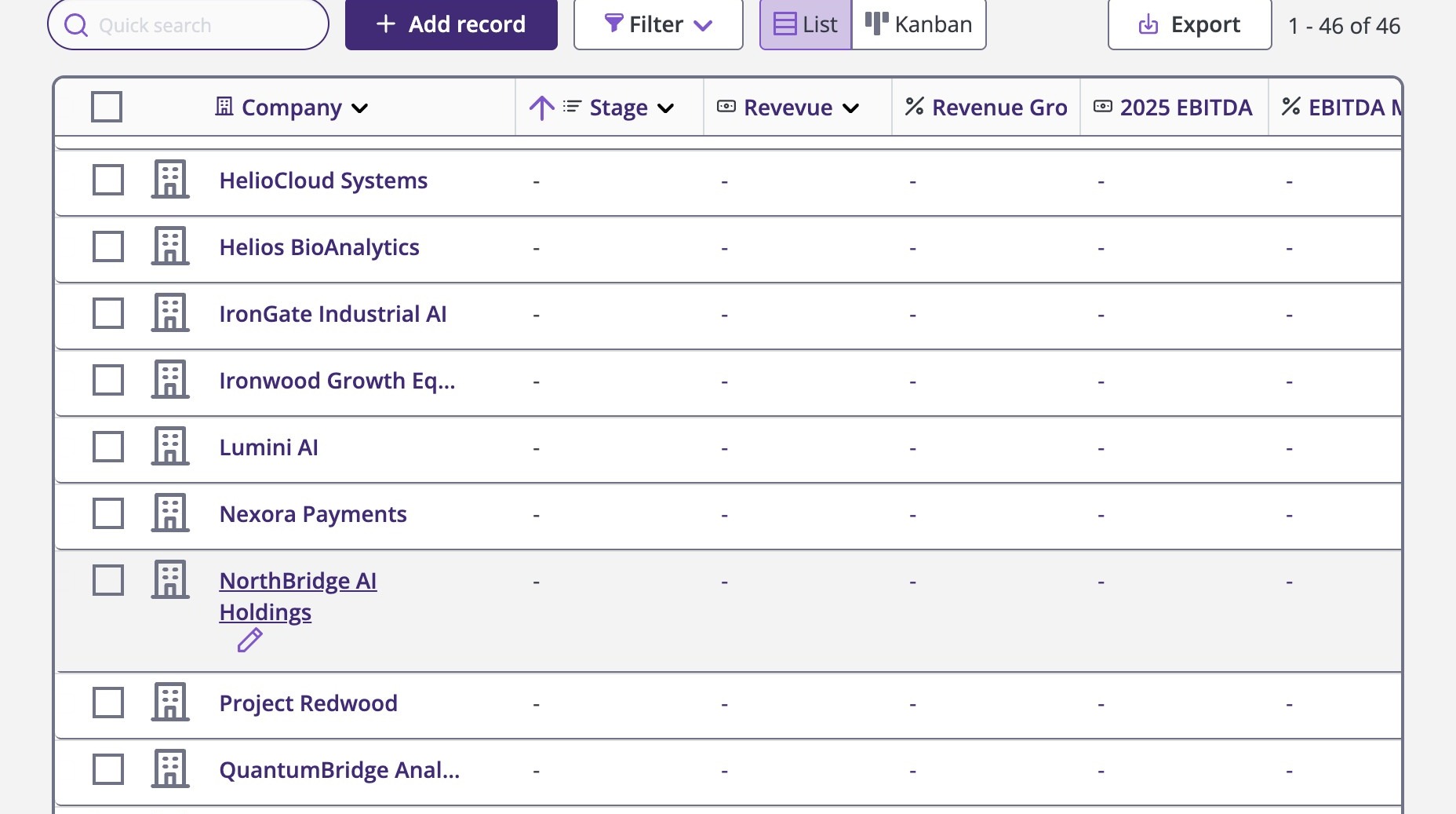
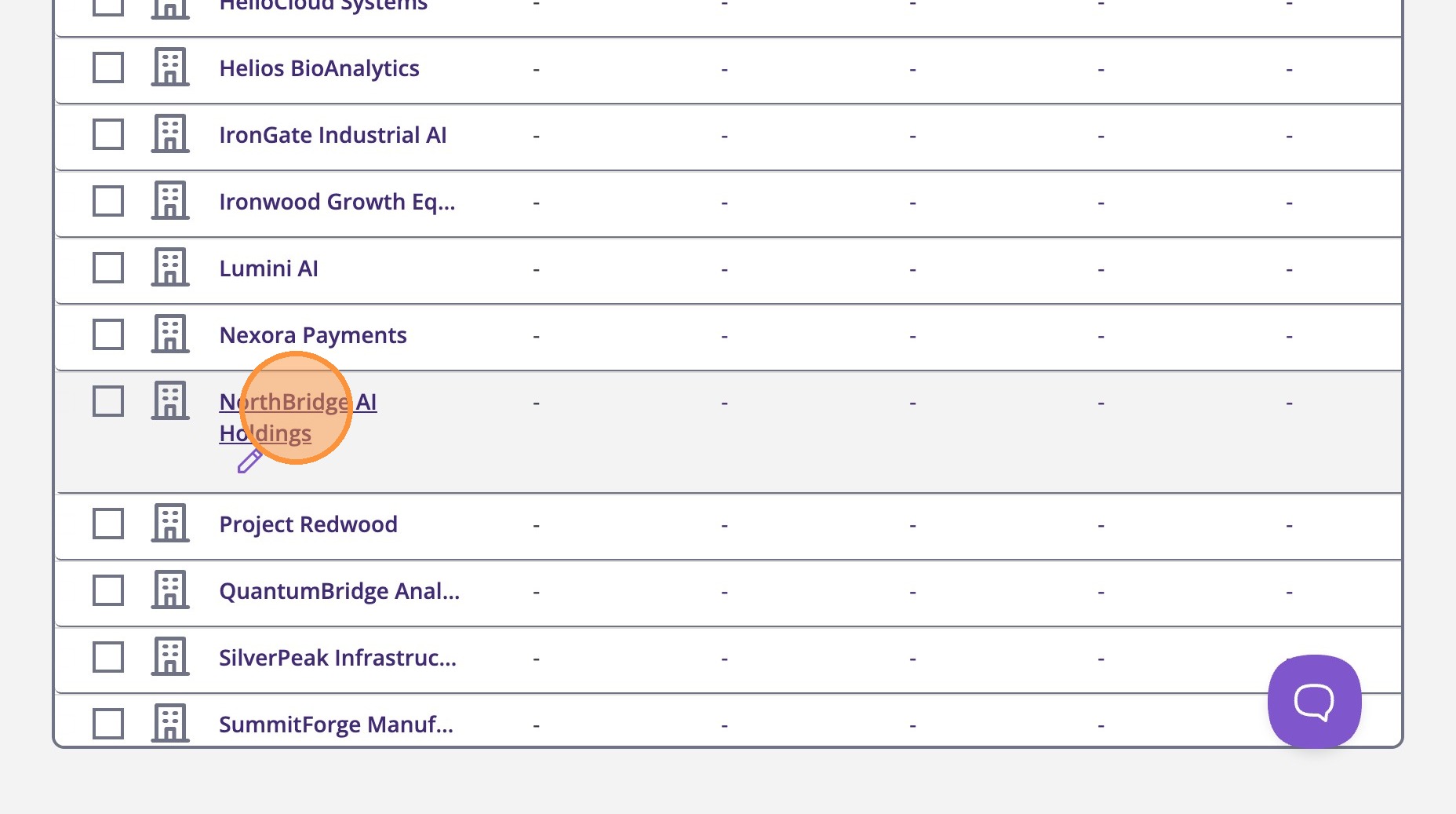
2. Click on the name to open the deal detail page
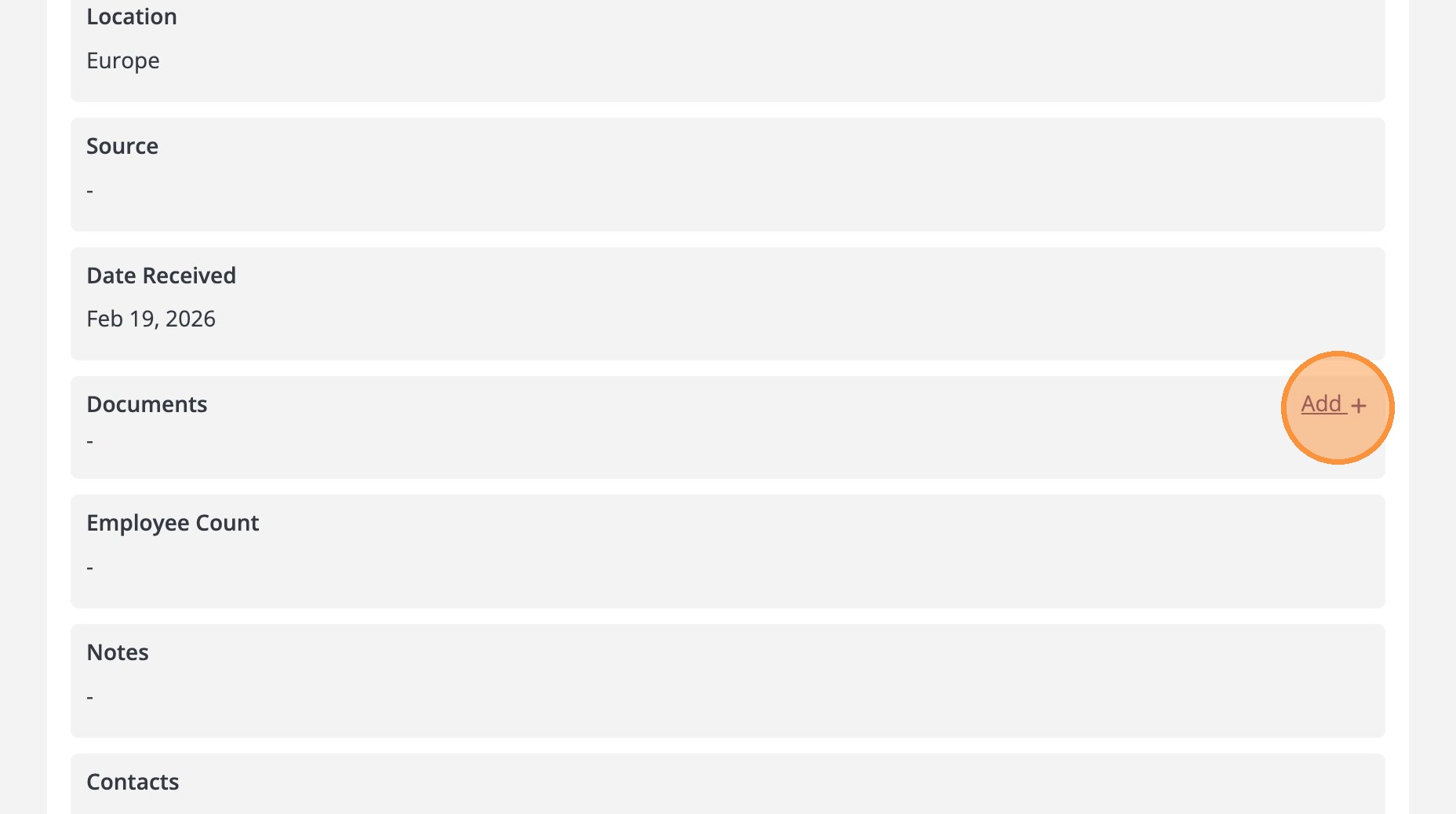
3. On the right side, scroll down to the document section and click "Add"
4. Click "Upload a file or drag and drop"
Supported: PDF, PPTX, DOCX, XLSX, CSV (max 50MB)
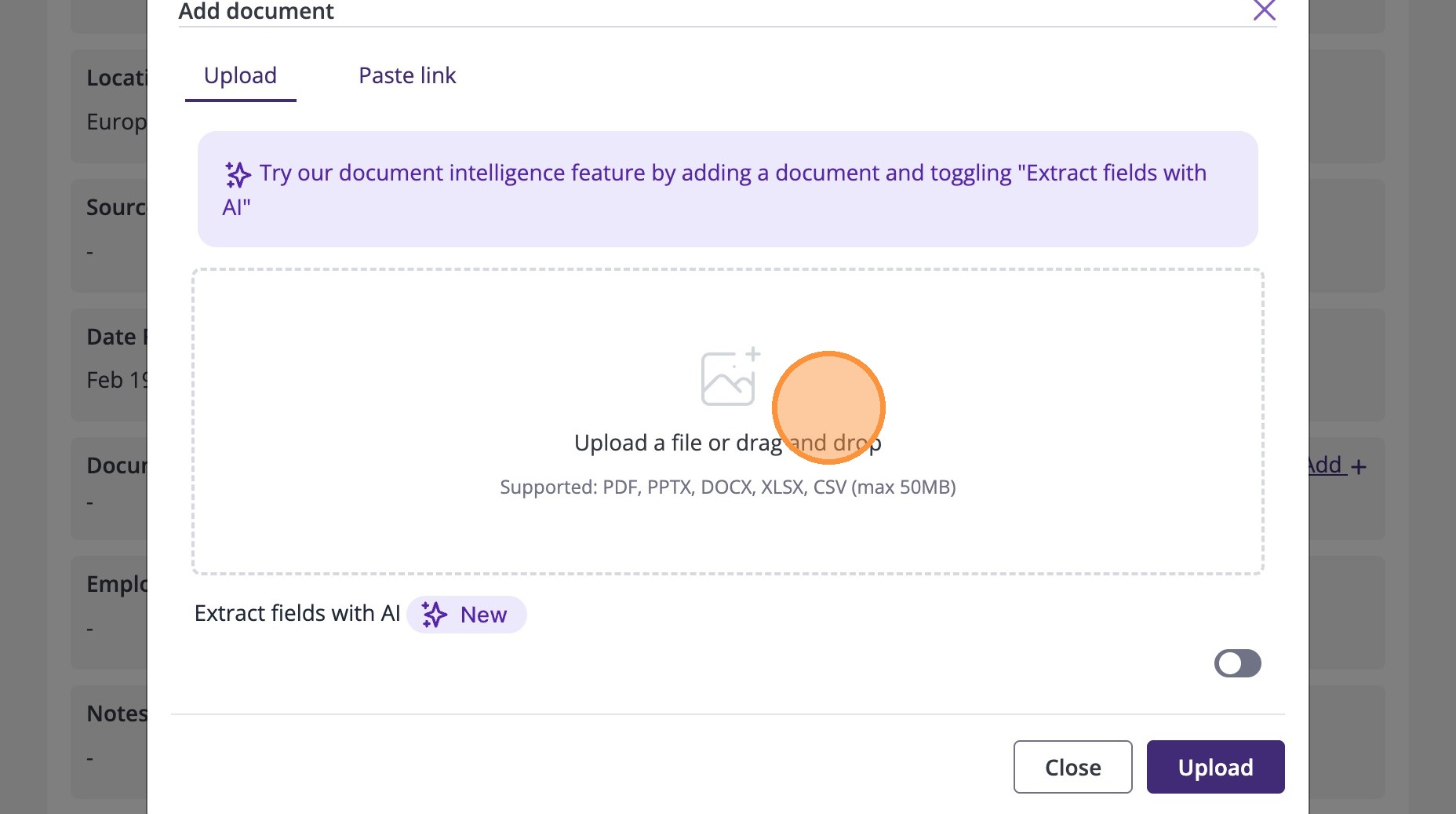
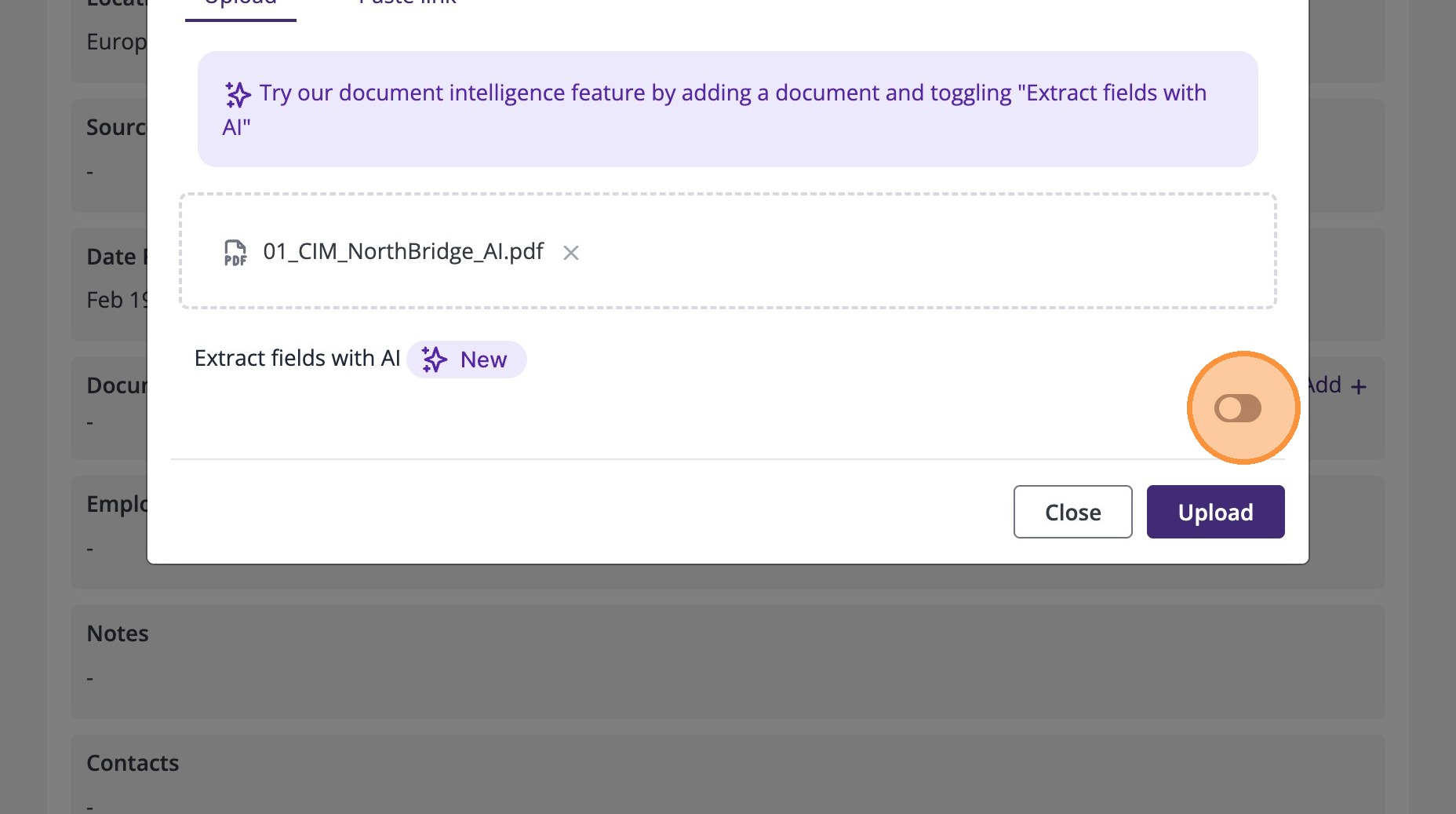
5. Once you select your file, click on the toggle button to turn on the option to extract fields with AI.
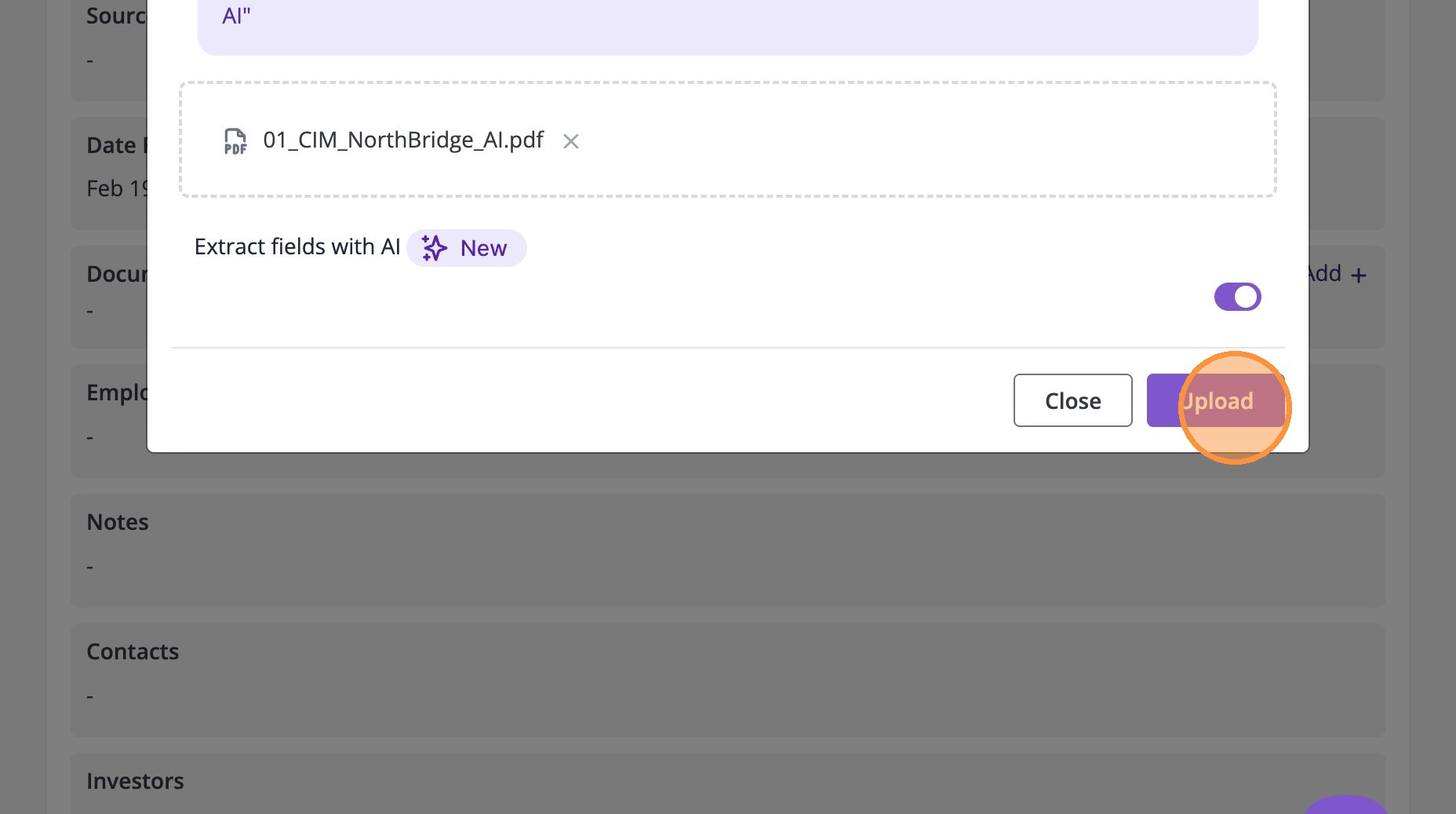
6. Click "Upload" To begin the AI extraction process
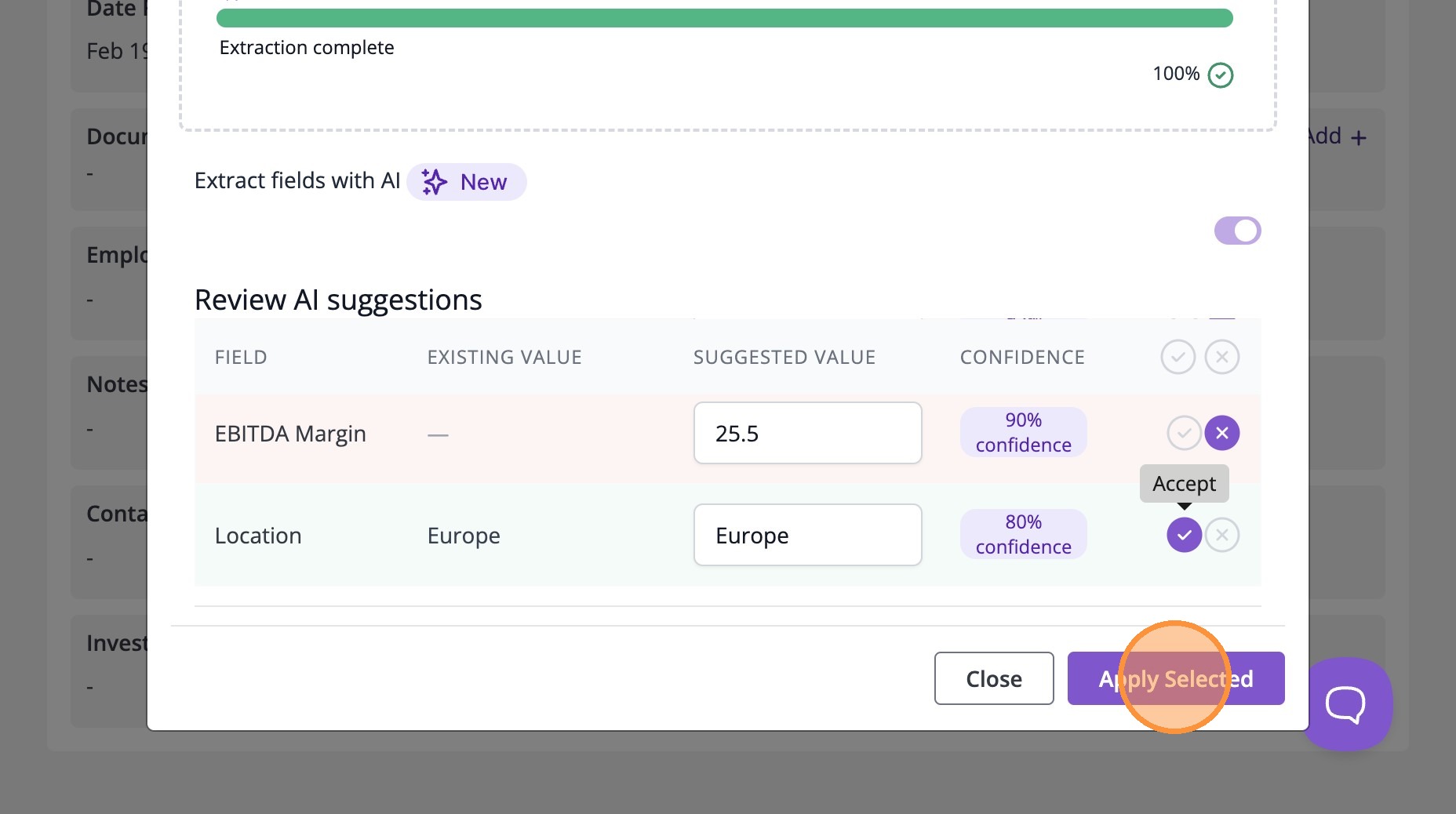
7. After uploading, you’ll see the AI extraction process complete and a Review Suggestions window appear.
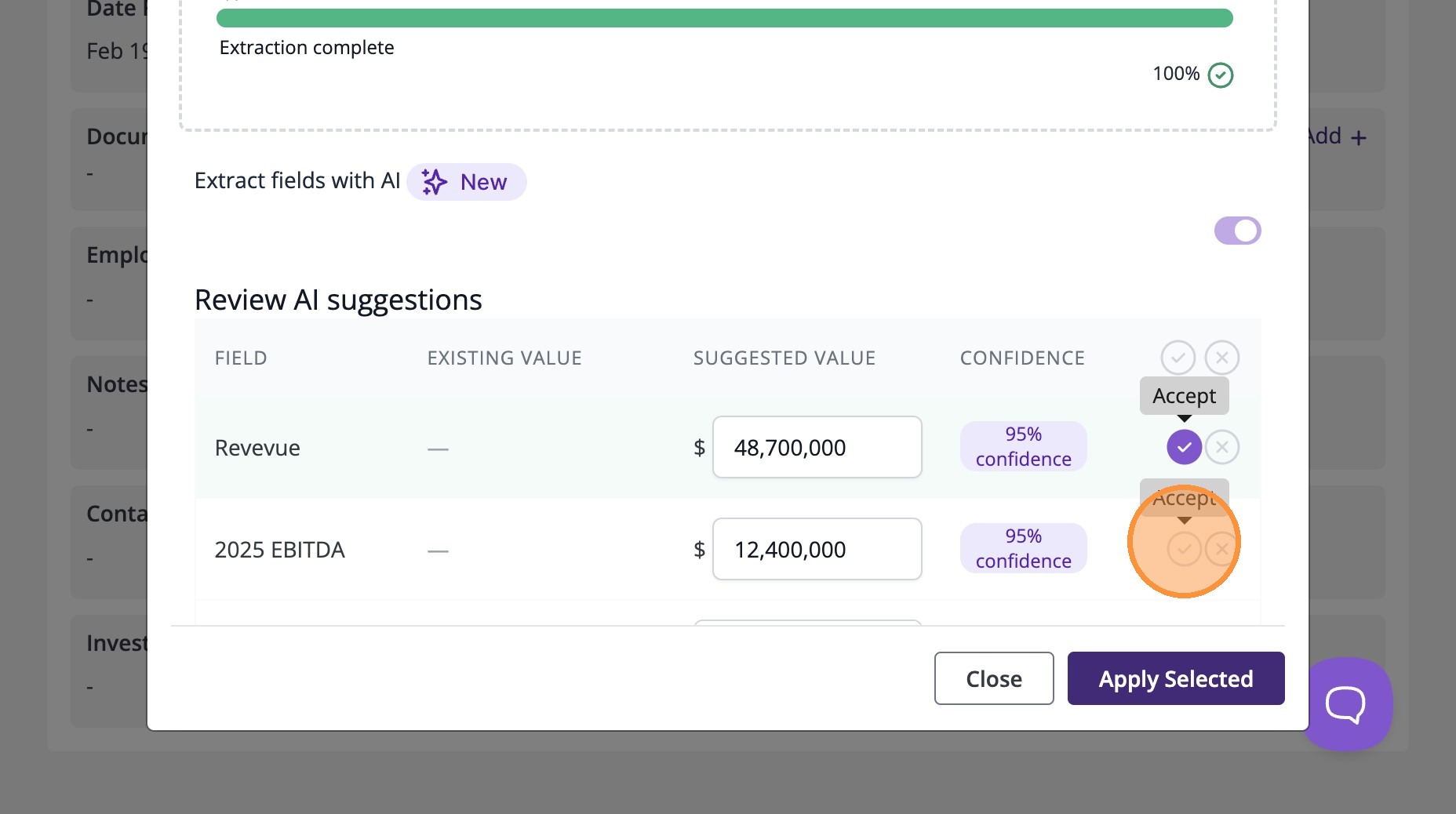
8. You can accept, modify or reject each field individually. Accepted fields will be applied to the deal once you click Apply Selected.
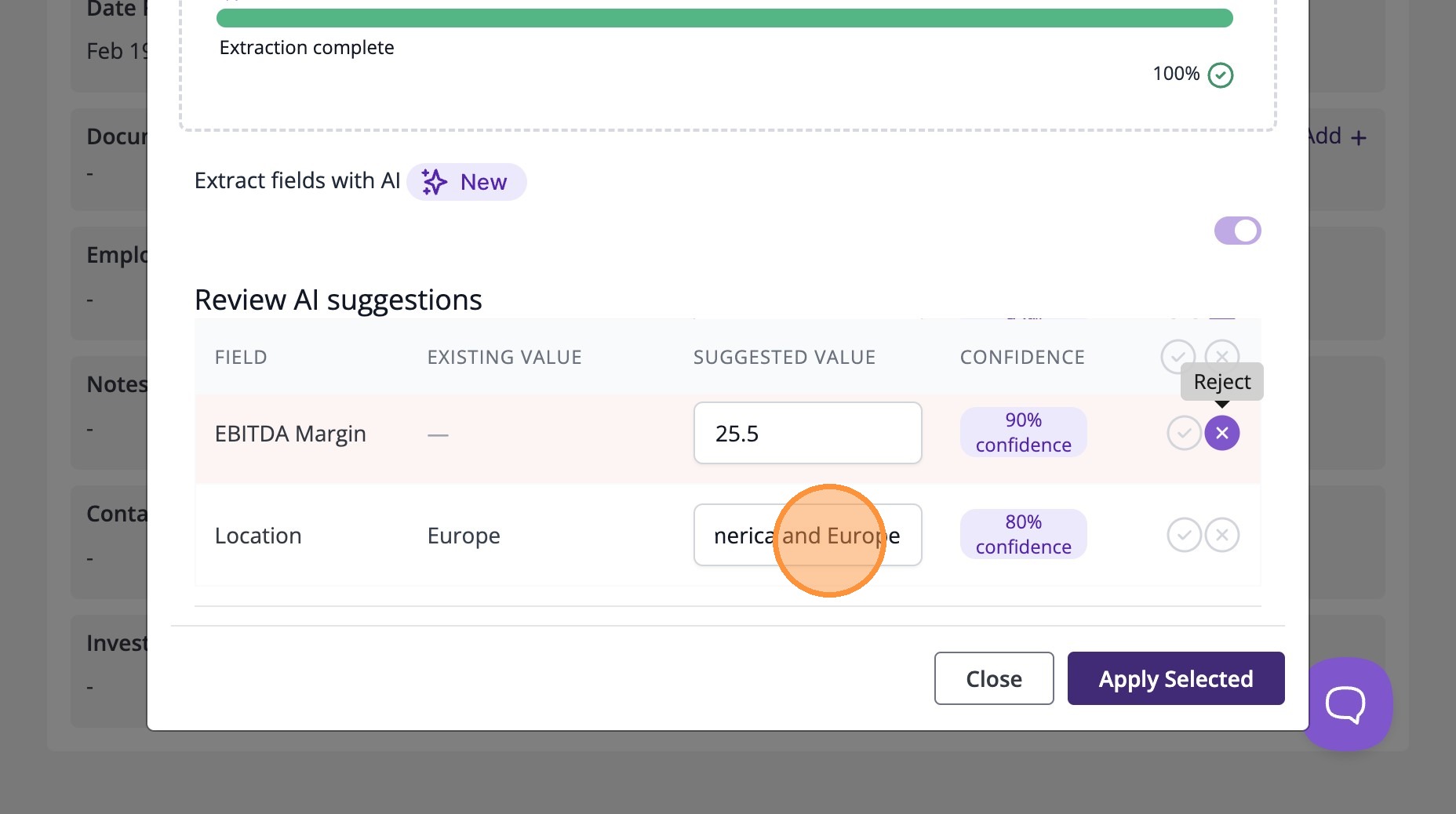
9. Click "Apply Selected" to save the accepted values.
10. Return to the deal Details page and confirm the fields were updated successfully.
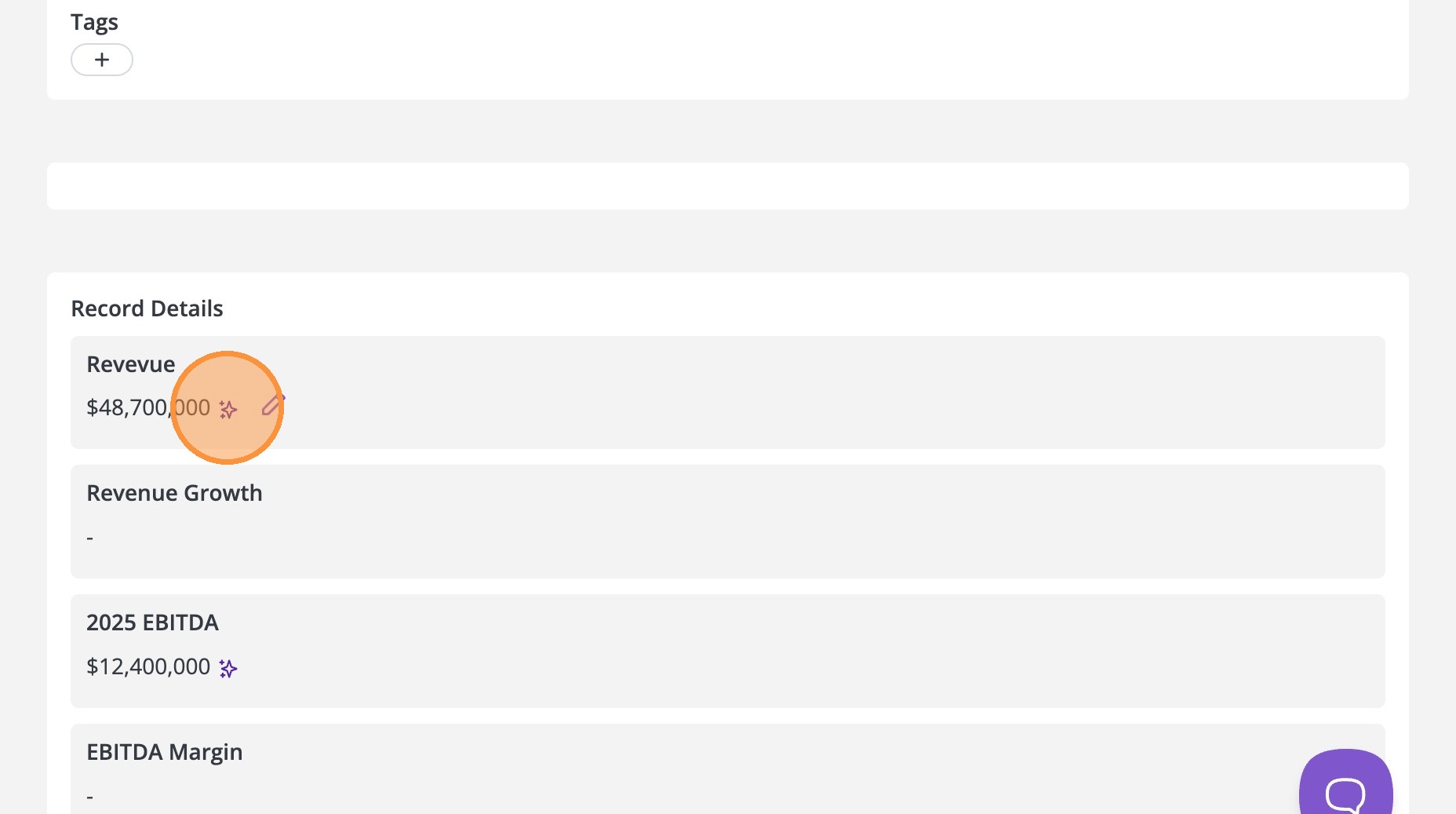
11. And that is it. Your document has been uploaded, and key fields have been extracted into the deal record.
If you have any questions, reach out to support@4degrees.ai